Descript Review 2026: Best AI Video Editor for Creators
If you have ever finished recording a thirty-minute podcast and then stared at a timeline wondering where the next four hours of your life went, Descript was built for you. In 2026 it remains the most radical reinvention of the video editor we have tested, because it throws away the timeline first and gives you a word processor instead. After spending three weeks cutting YouTube essays, a podcast mini-series, and a client explainer in Descript, here is the honest verdict on whether it is still the best AI video editor for creators this year.
What Descript Actually Does Differently
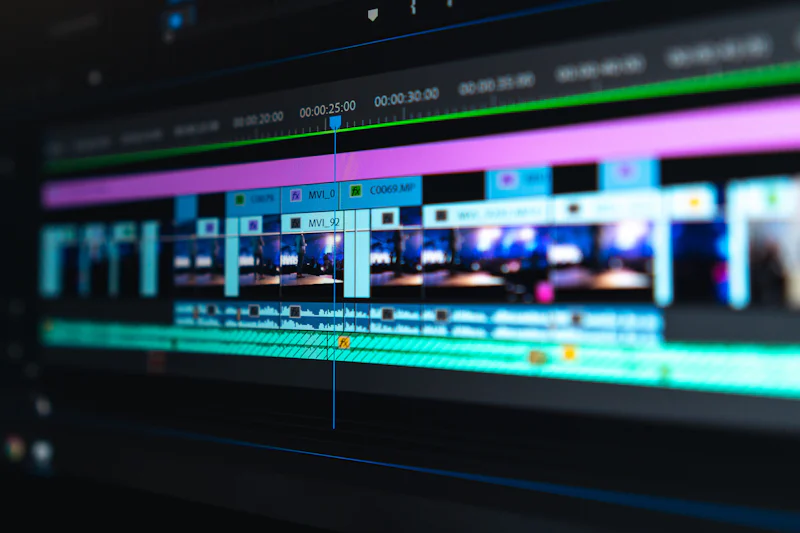
Traditional editors — and yes, that includes Adobe Premiere, Final Cut, and even most AI-assisted timelines from CapCut — still treat video as a stream of frames. You scrub, you cut, you drag. Descript treats video as a transcript. You upload your file, it runs speech-to-text, and you edit the document. Delete a sentence in the script and the matching video and audio simply vanish. Move a paragraph and the clip moves with it.
It is a strange experience the first hour, then an obvious one by the second day. For talking-head content, podcasts, course lessons, internal comms, and short-form social cuts built from long recordings, this model is genuinely faster than anything else on the market. For cinematic work, music videos, or anything with heavy B-roll layering, it is the wrong tool.
In our latest round of AI creator tool reviews, including our ElevenLabs review and the Runway Gen review, Descript slots into a workflow where voice and scripting come first, visuals come second — and it does that better than any rival.
The 2026 Feature Set Worth Knowing
Transcript-Based Editing
The core is still the killer feature. Descript's 2026 transcription engine is noticeably faster than the 2024 build, and accuracy on clean English sits in the 96–98% band in our tests. Speaker labels, automatic filler detection, and paragraph re-grouping all happen on import. You can split scenes by paragraph, jump to any word with Cmd-J, and lock a transcript region so collaborators cannot accidentally cut it.
Overdub and AI Voices
Descript's Overdub lets you type a sentence and have it read in your cloned voice — or in one of the stock AI voices — without re-recording. In 2026 the voice library is broader, the latency is lower, and there is a clearer consent flow for cloning your own voice (you read a short script to train it). It is not a substitute for ElevenLabs if you need expressive, multilingual narration, but for fixing a single missed line in an otherwise perfect take, nothing is faster.
Filler-Word and Silence Removal
Highlight "um", "uh", "you know", "like" and similar crutch words and Descript deletes them everywhere they appear, with a one-frame ripple edit to keep audio tight. The 2026 version added a smart-silence detector that trims dead air above a threshold you set. On a raw interview this routinely shaves 15–25% off runtime without sounding robotic.
Studio Sound
Studio Sound remains Descript's most quietly impressive feature. One click and a noisy room, a fan, or a cheap USB mic starts sounding like a treated booth. The 2026 model handles outdoor wind and HVAC rumble noticeably better than the 2025 build. It is not magic — heavy reverb and music bleed still leak through — but for solo creators recording at a kitchen table it is the closest thing to a fair fight against a $400 shotgun mic.
Eye Contact AI
A newer addition: Descript now reframes your eyes so they appear to look at the camera even when you were reading a script off to the side. It is subtle, not uncanny, and saves talking-head creators who refuse to memorize lines.
Remote Interview Recording
Descript Rooms lets you bring a guest in via a web link, records each side locally at high quality, and uploads the files automatically. No more Zoom compressed audio, no more syncing two timelines. For podcasters and journalists this alone can justify the subscription.
Descript vs Adobe Premiere vs CapCut
We pitted Descript against the two editors creators ask about most. The table below reflects 2026 versions on a MacBook Pro M3 and a Windows laptop with a discrete GPU.
| Dimension | Descript | Adobe Premiere Pro | CapCut Desktop |
|---|---|---|---|
| Editing model | Transcript-first document | Traditional timeline | Timeline with AI assists |
| Best for | Talking-head, podcast, course | Cinematic, multi-cam, color | Short-form social, B-roll |
| AI features | Overdub, Studio Sound, filler removal, eye contact | Auto-reframe, text-based, Speech to Text | Auto-captions, style transfer, beat sync |
| Learning curve | Low for writers, medium for editors | Steep | Low |
| Collaboration | Real-time doc comments, shared scripts | Team projects, Productions | Cloud projects, comments |
| Color grading | Basic | Industry-standard Lumetri | Filters and LUTs |
| Multicam | Limited | Excellent | Limited |
| Export presets | Social, podcast, Web | Everything | Social-first |
| Price (2026, annual) | From $24/mo | From $23/mo (with CC sub) | Free / $8/mo Pro |
The honest read: Descript wins for anyone whose deliverable starts with words. Premiere wins when you need frame-accurate control, color, and complex audio. CapCut wins on price, mobile parity, and short-form velocity — see our CapCut vs Premiere comparison for a deeper breakdown.
Pricing in 2026
Descript simplified its tiers in late 2025. Here is what individual creators and small teams actually pay today.
| Plan | Price | Who it is for | Notable limits |
|---|---|---|---|
| Hobbyist | $24/mo (annual) | Solo creators, first podcast | 10 transcription hours/mo, 1080p export, basic AI voices |
| Pro | $33/mo (annual) | Active YouTubers, podcasters, course creators | 30 transcription hours/mo, 4K export, full Overdub, Studio Sound, eye contact |
| Business | $33/user/mo (annual) | Small teams, agencies, internal comms | Adds brand kits, SSO, priority support, unlimited rooms |
There is still a free tier with limited transcription hours and watermark exports, which is enough to test the workflow before you commit. If you want the headline features — Overdub, Studio Sound, filler removal — you need at least Pro.
The single best way to evaluate it is to push a real project through it. Try Descript and cut a ten-minute episode end-to-end; that is faster than reading any review.
Where Descript Still Frustrates
No tool is perfect, and a fair Descript review has to call out the rough edges.
- Heavy projects slow down. Once you stack more than 6–8 tracks of B-roll, scenes, and overlays on a single composition, scrubbing gets sluggish and exports queue. Descript is still first a script editor, second a multitrack NLE.
- The Windows build lags the Mac build. Feature parity has improved in 2026, but color tools, GPU acceleration, and stability on Windows still trail macOS by a quarter or two.
- AI features are metered. Overdub minutes, transcription hours, and AI credits all have caps. Power users will hit them.
- No true multicam. You can stack tracks, but it is not the same as a real multicam workflow in Premiere or Final Cut.
- Cloud dependency. Heavy reliance on cloud rendering and AI means a flaky connection hurts.
For the workflow it targets, none of these are deal-breakers. For a different workflow, they are.
Who Should Pick Descript in 2026
Pick Descript if your primary output is words on a screen — YouTube essays, podcast episodes, online courses, internal training, customer-story videos, sales calls you want to repurpose, or webinar clips. If you are a one-person team or a small group who hates timelines, you will be faster inside Descript than inside anything else we tested.
Stick with Premiere if you shoot cinematic footage, run multicam interviews, or live in color grading. Stick with CapCut if you live on TikTok, ship ten short-form pieces a week, and need a mobile companion app.
For creators who already use AI voice tools in their stack, Descript also plays nicely with ElevenLabs for premium narration and with Runway for B-roll generation, which makes it the cleanest hub for an AI-first production pipeline in 2026.
The Bottom Line
Descript is not trying to be Premiere. It is trying to replace the part of video editing that most creators actually hate: scrubbing a timeline to find the sentence they want to cut. In 2026, with Overdub, Studio Sound, filler removal, eye-contact AI, and remote recording all maturing, it does that job better than any tool we have tested.
If your content starts with a script or a conversation, Descript will save you hours every week. If your content starts with a camera, a color grade, or a multicam switcher, it will frustrate you. Choose accordingly, and take advantage of the free tier to validate the workflow on a real project before you pay. Three weeks in, we are still shipping our weekly podcast episodes out of Descript — and that is the highest praise we can give an editor.